Basic Customization Reference
The basic customization feature makes some trivial tasks such as changing the logo image or selecting the default color for links a lot easier to do, without having to change the CSS code directly

Written by Guilherme Arantes
Updated at May 20th, 2020
The Helpjuice's Template Engine provides the Basic Customization Feature. This feature allows you to easily change some basic layout details that the Knowledge Base uses, like links and body colors.
Basic Customization
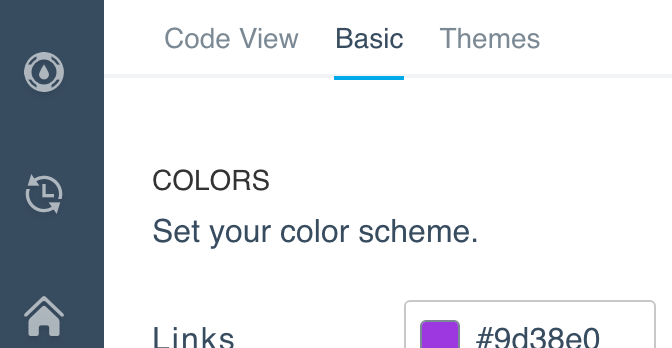
The Basic Customization feature can be found under the Basic tab on the Customize Section. It allows you to choose images, colors and fonts to be used in the Knowledge Base Template. See the complete list of variables below:
Basic Image Customization
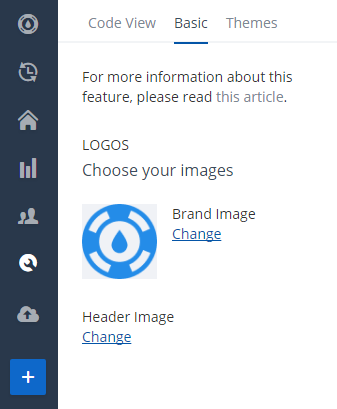
You can easily replace the logo or the header image. This is possible whenever the Main CSS file has the $brand_image_url and $back_image_url variables respectively.
Main CSS example:
.logo_section {
  background-image: url($brand_image_url);
}

.header_wrapper {
  background-image: url($back_image_url);
}
Basic Color Customization
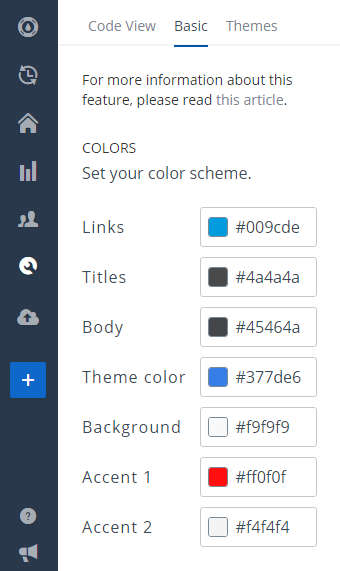
- $links_color: This is the color set in Links field;
- $titles_color: This is the color set in Titles field;
- $body_color: This is the color set in Body field;
- $background_color: This is the color set in Background field;
- $theme_color: This is the base color for the theme. It's used in the header's background and some other places, like in buttons;
- $accent_color_1: It's theme specific, may have different uses across different templates;
- $accent_color_2: It's theme specific, may have different uses across different templates;
Main CSS example:
body {
  background-color: $background_color;
}

#main_container {
  a { color: $links_color; }
  h1, h2, h3 { color: $titles_color; }
}

.widget .btn { background-color: $theme_color; }
Basic Fonts Customization
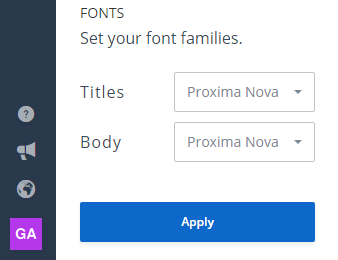
- $body_font: Font Set on the Body Font field;
- $titles_font: Font Set on the Titles Font field;
Main CSS example:
body {
  font-family: $body_font;
}

h1, h2, h3 {
  font-family: $titles_font;
}
Be aware that:
- If you remove one of those variables from the Main CSS file, its correspondent field will be hidden from the Basic Customization tab;
- If your theme does not support all of the available variables, they will be hidden from you in the Basic tab. If you add one of them to your Main CSS file and refresh the page, they will be shown;
- Missing values (like a blank color field) will cause Main CSS file to fail validation. You won't be able to save it.