Main Layout

Written by Emil Hajric
Updated at April 27th, 2025
To keep on going with your customization we assume you’re already familiar with HTML5 and CSS3 minimum, and read this introduction article and the article with basic Liquid markup language.
So let’s continue, as said on the introductory article the Main Layout document is responsible for the structure of the KB, said structure includes header, footer, search bar and search results returned.
In the picture below you can see what is defined through this document highlighted in yellow:
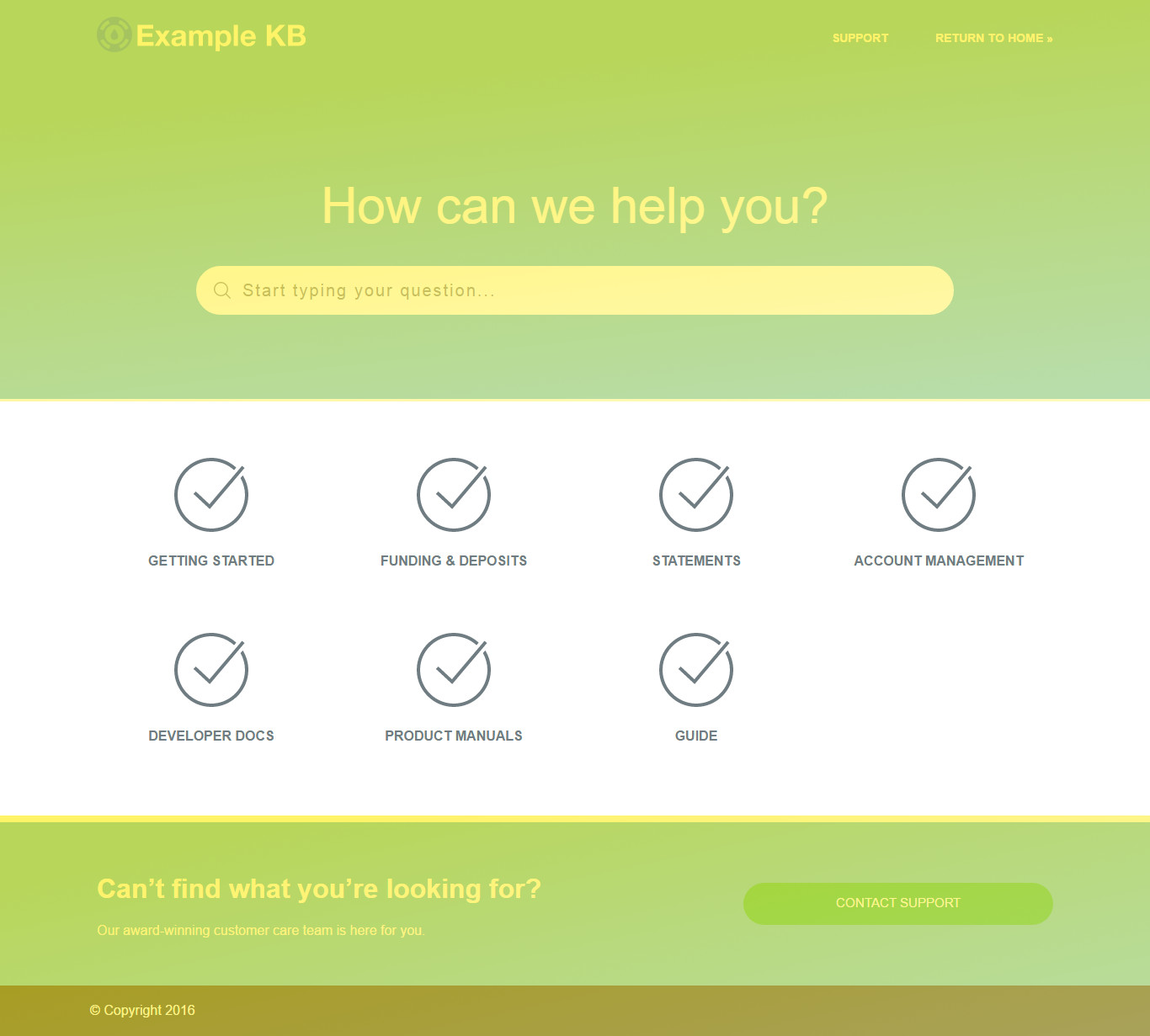
You can modify the structure of your Main Layout to show any kind of static information such as texts and pre-defined links, and also dynamic content.
To access such content Helpjuice uses Shopify/Liquid, and this are the Objects accessible on the Main Layout:
- on_show_question_page: Variable that returns a true value if the current page is a question;
- on_index_page: Variable that returns a true value if the current page is the index page;
- on_contact_us_page: Variable that returns a true value if the current page is the contact-us page;
- account: Object that returns a list of properties related to the KB account;
- internal_kb_user: Object that contains the info on the logged in user;
- current_user:Same as internal_kb_user ;
- javascript_includes: This Object is specific for the template it returns a string containing the main JS;
- responsivemenu_js: This Object is specific for the template it returns a string containing the javascript files responsible for the mobile menu;
- typewatch_js: This Object is specific for the template it returns a string containing the javascript files responsible for the monitoring of the search block;
- questions_js: This Object is specific for the template it returns a string containing the javascript files responsible for the fetching and displaying of questions after performing a search;
- content_for_layout: This Object fetches the contents on the current page as a text and paste it over the template code.
Some elements are essenyial to the Main Layout:
Search Block:
 <form autocomplete="off">
       <input id="search" name="search" size="30" type="text" autocomplete="off" placeholder="Start typing your question..." />
 </form>
Contact Form:
    <div class="wrap container-fluid hidden" id="no-results">
          <div class="no-results-wrap js_equalise_is_landing">
            <!-- if no results found => show contact form -->

              <div class="row center-xs">
                  <div class="contact_form col-xs-12 col-sm-12 col-md-8 col-lg-8">

                    <h2>Sorry, we didn't find any relevant articles for you.</h2>
                    <p>Please fill out the contact form below and we will reply as soon as possible.</p>

                    <div class="form-container">
                      <div class="form style-2">
                        <form accept-charset='UTF-8' action='/questions' class='active' id='new_question' method='post'>

                          <!-- Don't modify or delete this -->
                          <div class="form-group">
                            {{csrf_token}}
                            <input type='hidden' value='{{account.id}}' name='question[account_id]' id='question_account_id'>
                          </div>

                          <div class="form-group">
                            <input type="text" name='question[email]' id='question_email' required>
                            <label for="question_email">Your email</label>
                            <div class="line"></div>
                          </div>

                          <div class="form-group">
                            <input type="text" placeholder='' name='question[name]' id='question_name' required>
                            <label for="question_name">Your question</label>
                            <div class="line"></div>
                          </div>

                          <div class="form-group" id="expand">
                            <textarea type="message" name='question[description]' id='question_description' required></textarea>
                            <label for="question_description">Description (details)</label>
                            <div class="line"></div>
                          </div>

                          <input class="btn" type="submit" id='question_submit' name='commit' value="Contact Support">

                          <!-- Want to add custom fields to your form (such as: account_id) and have them included when the user contacts support? Max three custom fields -->
                          <!-- <input type="text" name='question[custom_field][favorite_car]' id='question[custom_field][favorite_car]' value='Whats your favorite car?'> -->

                        </form>
                      </div>
                    </div>

                  </div>
                </div>

          </div>
      </div>
    </article>
Head Items:
<head>
    <meta charset="utf-8">
    <!--[if IE]><meta http-equiv="X-UA-Compatible" content="IE=edge"><![endif]-->
    <meta http-equiv="X-UA-Compatible" content="IE=edge">
    <title>{% if question %}{{account.name}} — {{ question.name }}{% else %}{{account.name}} Support{% endif %}</title>
    <meta name="viewport" content="width=device-width,initial-scale=1.0,user-scalable=no"/>

    <!-- Upload and insert your favicon here -->
    <!--<link rel="shortcut icon" type="image/vnd.microsoft.icon" href=""/>-->

    <link href="/assets/main.css" rel="stylesheet">
    <link href="https://static.helpjuice.com/helpjuice_production/uploads/upload/image/1856/34388/flexboxgrid.min.css" rel="stylesheet">
    <link href="https://maxcdn.bootstrapcdn.com/font-awesome/4.4.0/css/font-awesome.min.css" rel="stylesheet">
    <link href='https://fonts.googleapis.com/css?family=Lato:400,300,700,900,100' rel='stylesheet' type='text/css'>
    <script src="https://ajax.googleapis.com/ajax/libs/jquery/2.1.4/jquery.min.js"></script>
    <script src="https://cdnjs.cloudflare.com/ajax/libs/modernizr/2.8.3/modernizr.min.js"></script>

  </head>