How To Archive And Unarchive Content
Learn how to effectively archive and unarchive content to better organize your Knowledge Base

Written by Amanda Stançani
Updated at September 26th, 2025
Archiving in Helpjuice allows you to hide content from users without permanently deleting it. This feature is especially useful for maintaining a clean knowledge base while keeping outdated or unused content accessible for future reference. Unarchiving restores the content to active status, making it visible again to users.
In this article, you’ll learn:
- How to archive content in your knowledge base
- How to unarchive content when it’s needed again
- Why archiving is preferable to deleting in some cases
Why Archiving Matters
Do you want to temporarily hide articles or categories from your Knowledge Base, so they don’t appear in browsing or search results - but still remain accessible through a direct link? The Archive feature is designed exactly for that.
Managing knowledge base content effectively ensures that users always find accurate, up-to-date information. Archiving prevents clutter, reduces confusion, and provides flexibility to bring content back if it becomes relevant again. Instead of deleting content permanently (and risking data loss), archiving gives you a safe middle ground.
How to Archive Content
From the Dashboard
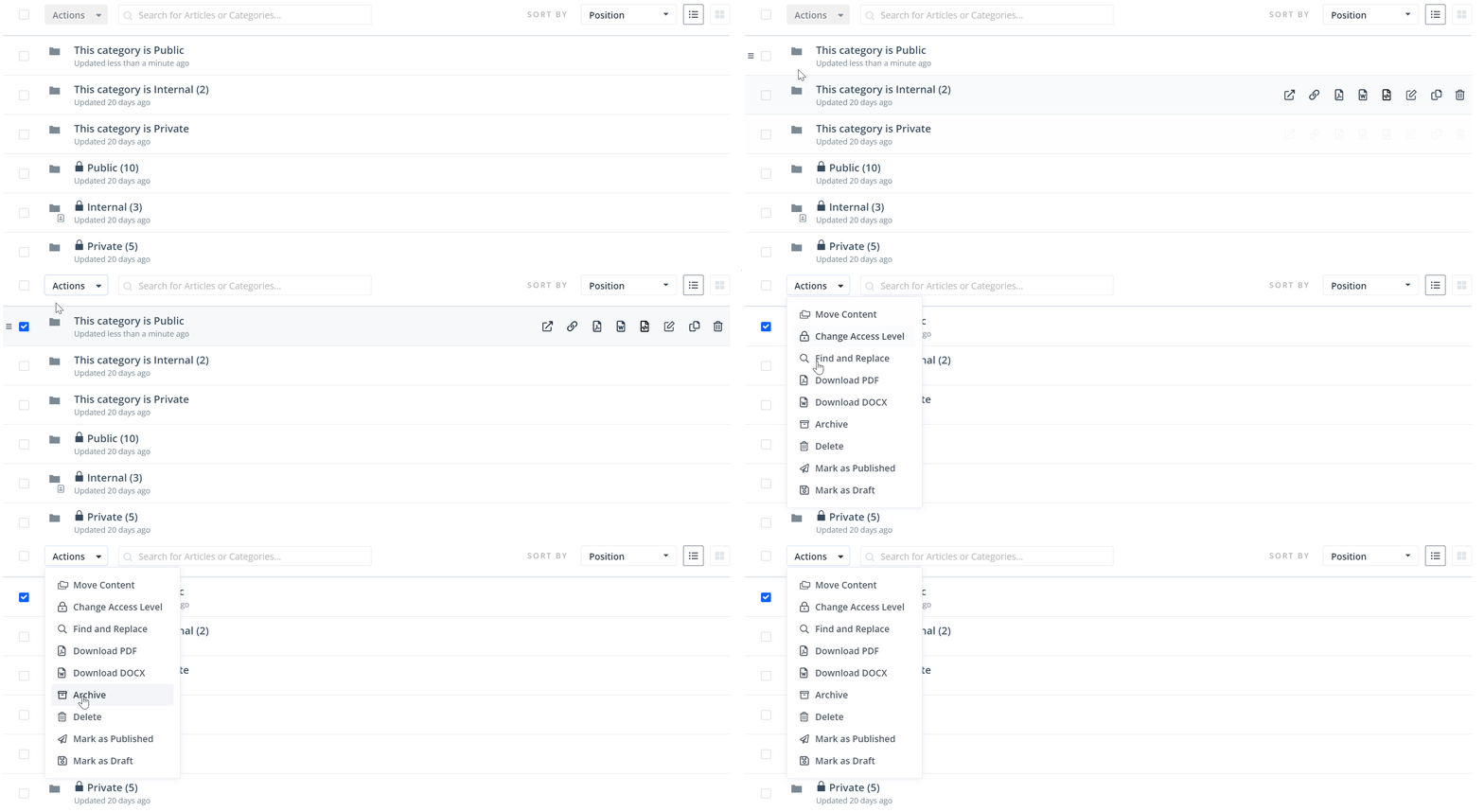
- Navigate to your Knowledge Base dashboard.
- Loacate the articles or categories you want to archive.
- Click Actions > Archive
- The content will no longer appear in search results or navigation menus.
Your archived content will now be located in the Archived section on your Dashboard and you can undo the action at any time.
From the Article Editor
- Open the article you want to archive
- Click the More Actions menu

- Click Archive Article

How to Unarchive Content
From the Dashboard
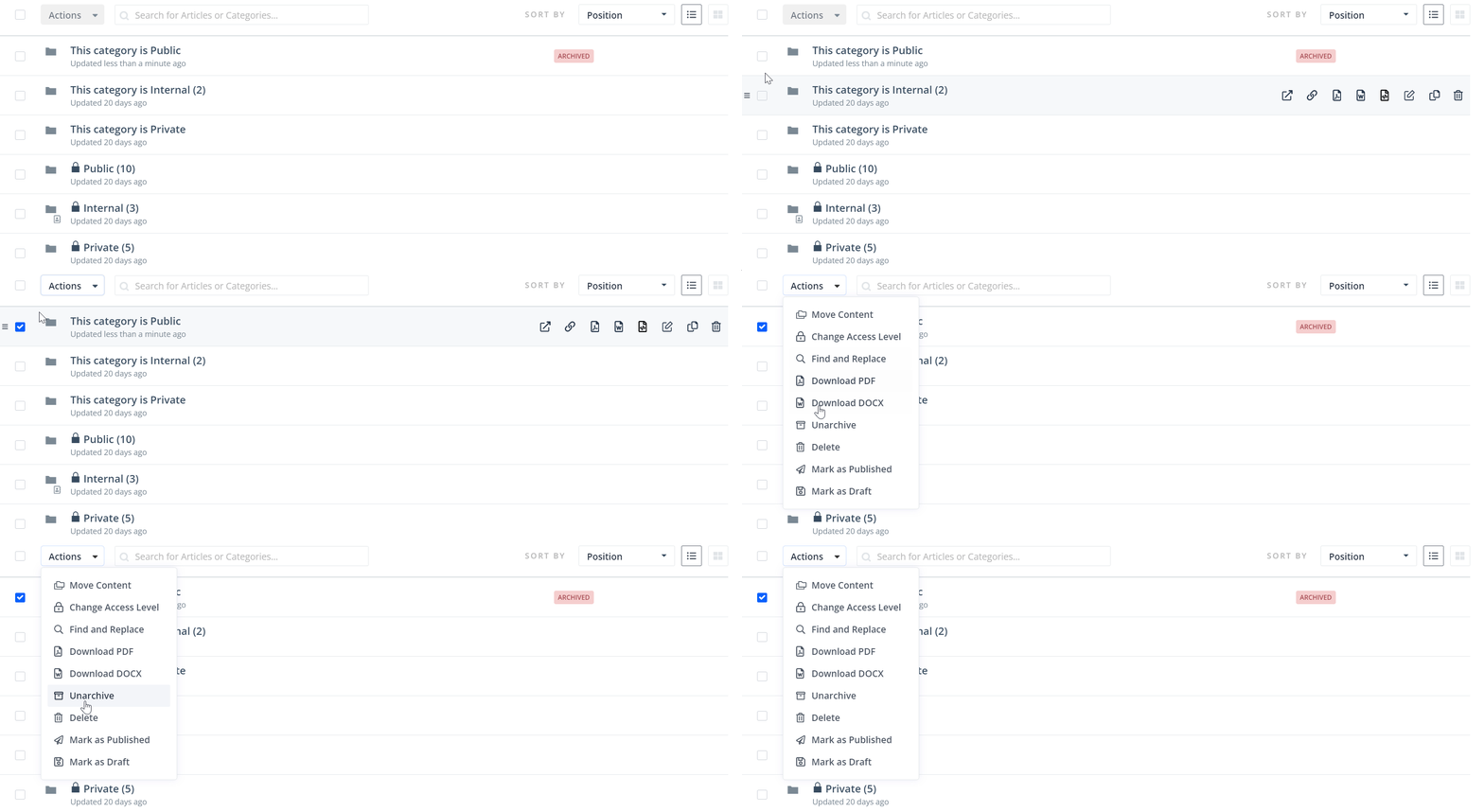
- Go to the Archived section in your Knowledge Base.
- Locate the items you wish to restore
- Select Unarchive.
- The content will return to its original location, visible to users again.
From the Editor
- Open the article you want to archive
- Click the More Actions menu
- Click Unarchive Article

The Regular Search, the AI Search and the AI Chatbot will not pull data from Archived Content
Best Practices
- Use archiving instead of deleting when you are not sure if the content should be permanently removed.
- Regularly review your archived items to ensure you don’t miss opportunities to bring back useful content.